
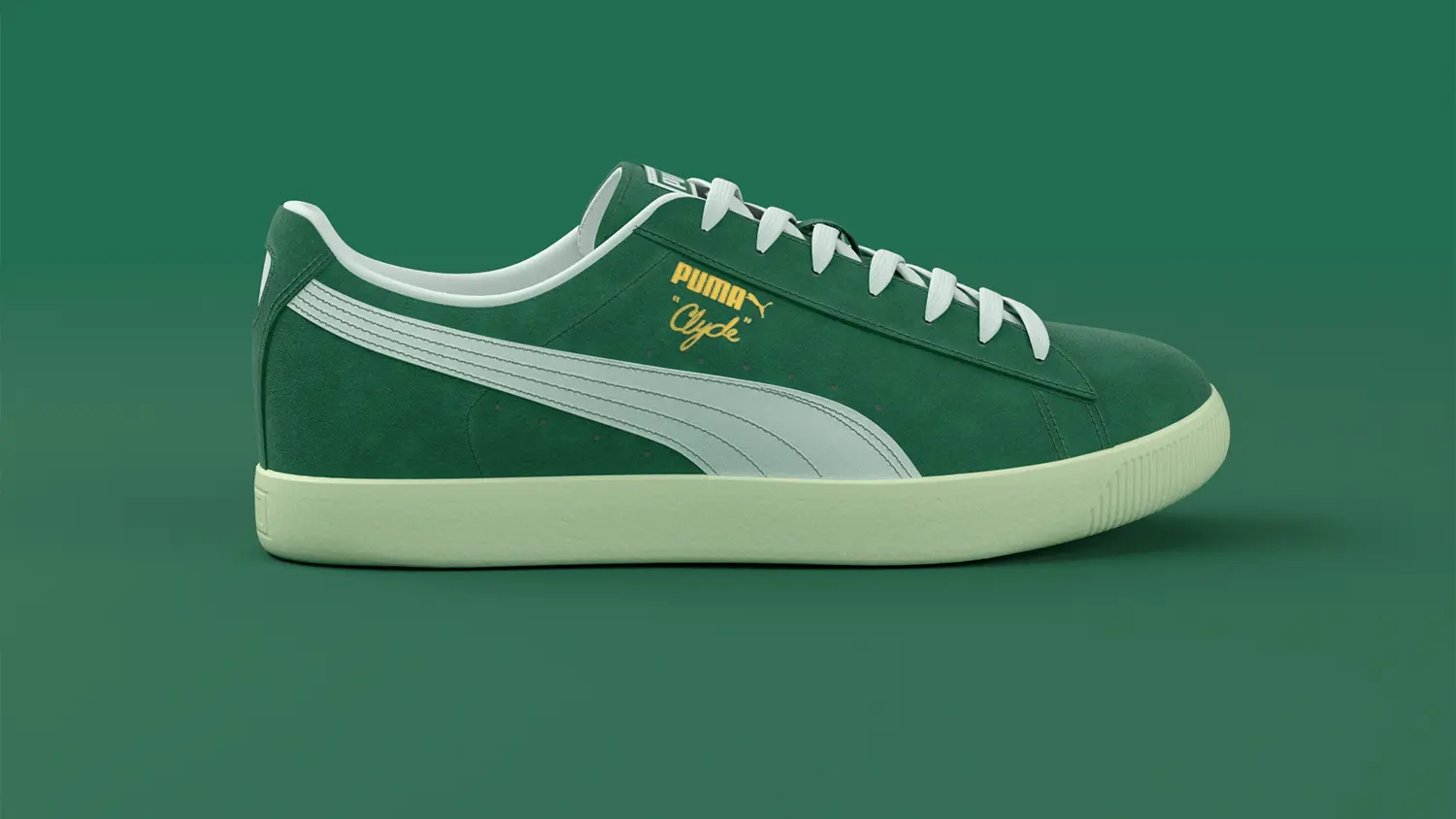
AI & AR Try‑On for Shoes (No App Needed)
Scalable virtual shoe try‑on that launches instantly from your product page — built for conversion, confidence, better fit decisions, and fewer returns. Your customers tap a button, point their phone camera at their feet, and see the shoes on, with footwear fit and size guidance built in. That's it. No app download, no friction, no guessing the right size, no excuses for not buying.
Scroll to show more 

Works With Your E‑Commerce Platform
WEARFITS integrates with your existing e‑commerce stack. For Shopify and WooCommerce, use the owned setup guides for the Shopify shoe try-on app and WooCommerce shoe try-on plugin. For custom platforms, use a lightweight JavaScript snippet or API path.
How AR Shoe Try‑On Works
Upload Your Catalog
Upload your shoe photos or 3D models. If you only have standard product photography, our photo-to-AR technology generates try‑on-ready 3D models from your existing images — no photoshoot needed.
Add to Your Store
Install the Shopify virtual try-on app, connect the WooCommerce shoe try-on plugin, or drop a code snippet into custom product pages. Integration typically takes days, not weeks.
Customers Try On
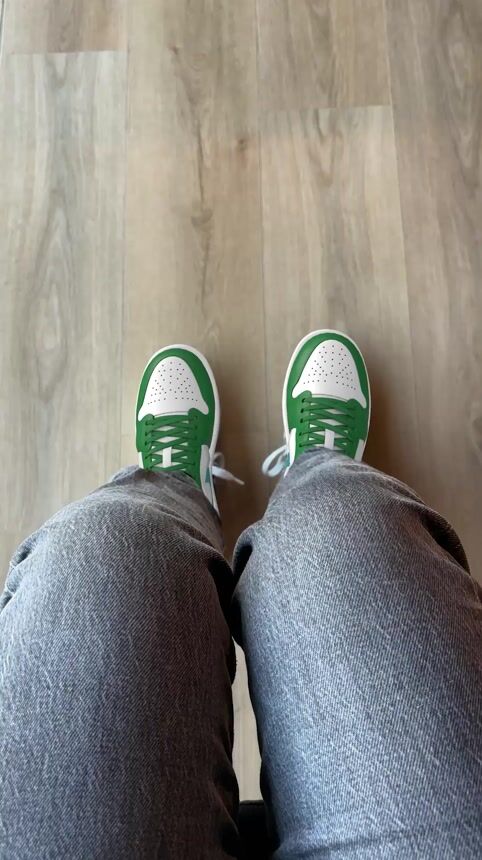
A "Try On" button appears on your product page. Customers tap it, point their phone at their feet, and see the shoe in real time. No app, no download, no waiting. They buy with confidence.
WHY SHOE BRANDS CHOOSE AR TRY‑ON
HIGHER CONVERSION
Customers gain confidence by seeing exactly how shoes look on their feet before purchase. When the guesswork disappears, the "Add to Cart" button gets a lot more use. Brands using WEARFITS typically see measurable conversion lifts because shoppers move from browsing to buying faster.
FEWER RETURNS, LOWER COSTS
Returns are expensive — and most of them happen because the shoe didn’t look or fit the way the customer expected. Realistic AR visualization narrows the gap between expectation and reality, which means fewer "it looked different online" returns and lower logistics costs.
LONGER TIME ON PAGE
AR try‑on is inherently interactive. Customers spend more time engaging with your product — rotating, comparing colors, trying different styles — instead of bouncing to a competitor. More time on page, more considered purchases.
83,000+ try‑ons served in 60 days






features
Key Features of WEARFITS Shoe Try‑On

WEB TRY‑ON
(NO APP NEEDED)
Shoppers launch an AR shoe try‑on directly from your product page. One tap or a QR scan, and they see the shoes on their feet using their mobile camera — no downloads, no app store friction. Works on all browsers out of the box.

MOBILE WEB-VIEW FOR IOS & ANDROID
Have a shopping app? Our API lets you embed the same interactive AR shoe try‑on into your native app. Same experience, same quality — just inside your own environment. Minimal development effort, full documentation provided.

IN-STORE DIGITAL MIRROR
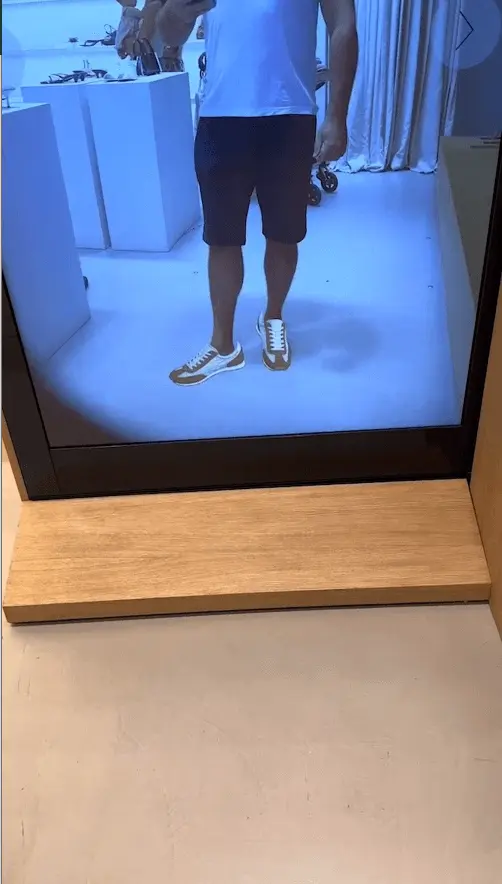
Bring AR into your physical stores. Customers stand in front of a screen and try on your footwear collection hands-free — no staff assistance needed, no physical stock required for every size and color. It's the fitting room without the fitting room.

PHOTO-TO-AR
(NO 3D MODELS REQUIRED)
Don't have 3D shoe models? No problem. Our photo-to-AR technology generates try‑on-ready 3D models from your standard product photos. Upload what you already have, and we'll handle the rest. One less excuse to not get started.

SIZE & FIT
WEARFITS Size & Fit combines AR shoe try‑on with AI sizing, scanning shoppers' feet in seconds to show fit heatmaps, recommend the right size, and reduce size-related returns.
ONE TRY‑ON, EVERY CUSTOMER TOUCHPOINT
The same AR shoe try‑on doesn't just live on your product page. It works across every touchpoint where customers interact with your brand — turning passive browsing into active engagement, wherever it happens.
E-COMMERCE
Embed the "Try On" button directly on your product pages. Customers browsing your online store get instant access to AR — no redirects, no app downloads. This is the core use case: higher conversion, fewer returns, longer time on page. Pairs naturally with our bags virtual try‑on and apparel try‑on.
IN-STORE & WINDOW SHOPPING
Place a QR code on a shelf tag, a window display, or a digital screen. Customers scan it with their phone and try on shoes right there — even if that specific pair isn’t in their size on the shelf. The try‑on experience bridges the gap between physical browsing and digital convenience.
EMAIL CAMPAIGNS
Drop a "Try On This Style" CTA into your email marketing. Recipients tap the link on their phone and land directly in the AR experience — no app install, no landing page friction. It’s the difference between a customer glancing at a product photo and actually seeing the shoe on their feet.
SOCIAL MEDIA
Share AR try‑on links in Instagram Stories, TikTok bios, or Facebook ads. Followers tap through and try on your latest collection instantly. The same link works everywhere — one URL, one experience, every social platform.
Same catalog. Same 3D models. Same try‑on quality. Whether your customer finds you on Google, walks past your store, opens your email, or scrolls your Instagram — the experience is consistent.
FREQUENTLY ASKED QUESTIONS ABOUT AR SHOE TRY‑ON
Customers tap "Try On" on your product page. Their phone camera opens, and the shoe appears on their feet in real time using augmented reality. No app download needed — it runs entirely in the browser.
Yes. When shoppers see how shoes actually look on their feet before buying, there are fewer surprises at delivery. Brands using WEARFITS typically see meaningful reductions in return rates because the gap between expectation and reality shrinks.
AR (augmented reality) renders the shoe on the customer’s feet in real time through their phone camera. AI powers everything around it: photo-to-AR technology generates try‑on-ready 3D models from standard product photos, and AI sizing recommends the right fit. WEARFITS combines both — AI builds the models and sizing, AR delivers the live try‑on experience.
Sneakers, heels, boots, sandals, loafers, and most other footwear categories. The system works with both standard product photos and 3D models — if you only have photos, our photo-to-AR technology can generate try‑on-ready 3D models automatically.
Most e‑commerce platforms (Shopify, WooCommerce, Magento) can be set up in days, not weeks. You add a code snippet to your product pages, upload your shoe catalog, and the try‑on experience goes live. Custom integrations via our SDK typically take 1‑2 weeks.
Yes — that’s the entire point. WEARFITS shoe try‑on runs in the mobile browser (Safari, Chrome). No app store visit, no download friction. Customers tap a button on your product page and they’re trying on shoes within seconds.
READY TO SEE IT ON YOUR PRODUCT PAGES?